sudo apt-get install ucblogo
Wait a moment! the lazy way is the best way, no need to type. Copy the above command and paste it in the terminal. You cannot use Ctrl+V to paste in the terminal. So if you don't want to type, paste it by right-click > paste, or by Ctrl+Shift+V in the terminal.
Wait a moment! the lazy way is the best way, no need to type. Copy the above command and paste it in the terminal. You cannot use Ctrl+V to paste in the terminal. So if you don't want to type, paste it by right-click > paste, or by Ctrl+Shift+V in the terminal.

After you click enter, you will have to give your login password, then maybe click "y" (yes) when asked. After that, write logo in the terminal, and then you can start programming.
The goal is to draw something. The most basic commands are forward, backward, right and left. They have shortcuts however: fd, bk, rt and lt. To draw a square you have to go forward and turn 90deg right, four times. you can do it in one command:
fd 100 rt 90 fd 100 rt 90 fd 100 rt 90 fd 100
Clear the screen with cs before drawing something new.
You can also make a square using repeat. Look at the example below and figure out how it works:
repeat 4 [fd 100 rt 90]
Didn't clear screen? clear it and try again.
Didn't clear screen? clear it and try again.
Make a circle?
cs repeat 120 [fd 3 rt 3]
A spiral perhaps:
make "dis 2 repeat 50 [rt 30 make "dis :dis+2 fd :dis]
Here we used make to create a variable called "dis", short for distance. we want the distance forward to increase every time we turn. So we start with distance two like this:
make "dis 2
When we assign a value (2 in this example) to a variable (dis) we put double quote before ("dis). When we use the variable dis to go forward we add a colon before (fd :dis). So what do we have inside the square brackets? we turn 30deg, we make new distance to be the previous one plus 2, then we go forward this distance. Clear? No? ask mom. Come on, look up in the square brackets and try translating English to logo. You now what? here it is in color.
English: Initial distance is 2. Repeat 50 times - turn right 30 degrees, new distance equals current distance plus 2, go forward this distance.
Logo: make "dis 2 repeat 50 [rt 30 make "dis :dis+2 fd :dis]
A growing spiral:
make "dis 2 repeat 85 [rt 30 make "dis :dis*1.05 fd :dis]
Here we increase the distance each time by 5% (1.05 equals to 105%) so it keeps growing.
A spiral perhaps:
make "dis 2 repeat 50 [rt 30 make "dis :dis+2 fd :dis]
Here we used make to create a variable called "dis", short for distance. we want the distance forward to increase every time we turn. So we start with distance two like this:
make "dis 2
When we assign a value (2 in this example) to a variable (dis) we put double quote before ("dis). When we use the variable dis to go forward we add a colon before (fd :dis). So what do we have inside the square brackets? we turn 30deg, we make new distance to be the previous one plus 2, then we go forward this distance. Clear? No? ask mom. Come on, look up in the square brackets and try translating English to logo. You now what? here it is in color.
English: Initial distance is 2. Repeat 50 times - turn right 30 degrees, new distance equals current distance plus 2, go forward this distance.
Logo: make "dis 2 repeat 50 [rt 30 make "dis :dis+2 fd :dis]
A growing spiral:
make "dis 2 repeat 85 [rt 30 make "dis :dis*1.05 fd :dis]
Here we increase the distance each time by 5% (1.05 equals to 105%) so it keeps growing.

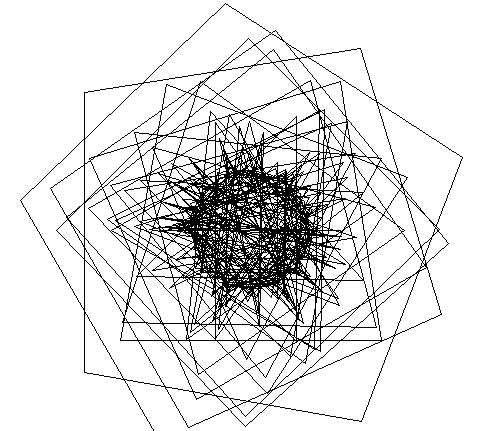
I suggest following the steps described in this website to get to know logo. Try making some simple shapes in different colors. say, a red square near a green triangle. Can you do it?


No comments:
Post a Comment